> For the complete documentation index, see [llms.txt](https://docs.plenit.com/llms.txt). Markdown versions of documentation pages are available by appending `.md` to page URLs; this page is available as [Markdown](https://docs.plenit.com/productos/migrations/concepts/transfer.md).
# Modos de transferencia
Cómo llega el disco a Plenit: SFTP, descarga por URL, subida web o Agente Acronis, y cuándo conviene cada uno.
El modo de transferencia define cómo viaja el disco desde tu origen hasta Plenit. El asistente genera las credenciales de subida o consume la URL que le aportes, según el modo.
### Cómo elegir
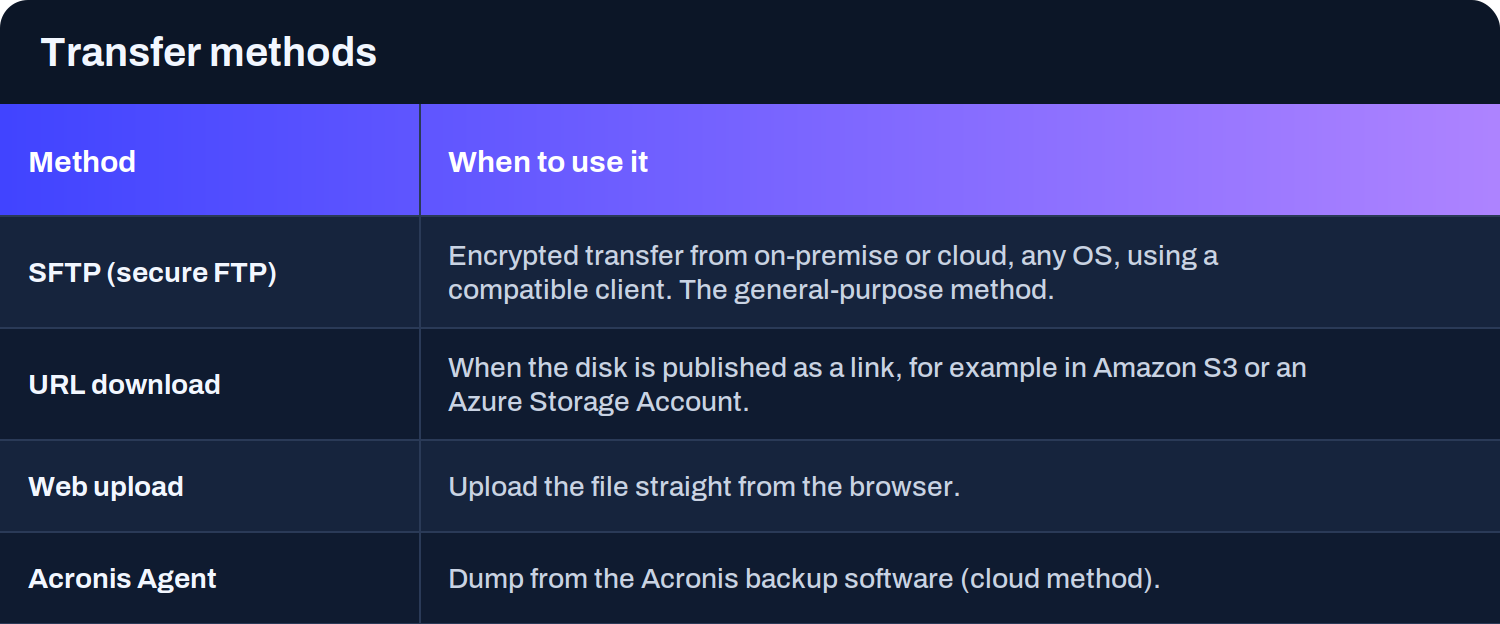
* **SFTP** es el modo general: sirve desde on-premise o cloud, con cualquier sistema operativo, usando un cliente compatible. Es lo que usas cuando exportas el disco a un fichero y lo subes (o mapeas el SFTP como unidad para escribir el disco directamente sobre él).
* **Descarga por URL** es lo más ágil cuando el disco ya está publicado como enlace, por ejemplo en un bucket de Amazon S3 o en una Storage Account de Azure: Plenit lo descarga sin que tengas que subirlo tú.
* **Subida web** sirve para ficheros que cargas directamente desde el navegador.
* **Agente Acronis** cubre los volcados desde el software de backup de Acronis por su método cloud.
> #### 🚧 Si importas por URL
>
> El enlace tiene que seguir vivo y accesible mientras dura la transferencia, porque es Plenit quien descarga el disco.
>
> Y en algunos orígenes (como AWS), la importación por URL se lanza desde el mismo equipo donde hiciste la operativa.
### Siguientes pasos
* Repasa cómo encaja todo en [El proceso.](/productos/migrations/concepts/the-process.md)
* Elige la guía del origen que vas a migrar en el apartado de [How-to.](/productos/migrations/how-to.md)
* Si prefieres acompañamiento, mira [Cómo solicitar una migración asistida.](/productos/migrations/how-to/como-solicitar-ayuda-para-migrar-un-servidor-a-cloud.md)
---
# Agent Instructions
This documentation is published with GitBook. GitBook is the documentation platform designed so that both humans and AI agents can read, navigate, and reason over technical content effectively. Learn more at gitbook.com.
## Querying This Documentation
If you need additional information that is not directly available in this page, you can query the documentation dynamically by asking a question.
Perform an HTTP GET request on the current page URL with the `ask` query parameter, and the optional `goal` query parameter:
```
GET https://docs.plenit.com/productos/migrations/concepts/transfer.md?ask=&goal=
```
`ask` is the immediate question: it should be specific, self-contained, and written in natural language.
`goal` is optional and describes the broader end goal you are ultimately trying to accomplish on behalf of the user. GitBook uses it to tailor the answer towards what is most useful for that goal.
The response will contain a direct answer to the question and relevant excerpts and sources from the documentation.
Use this mechanism when the answer is not explicitly present in the current page, you need clarification or additional context, or you want to retrieve related documentation sections.