> For the complete documentation index, see [llms.txt](https://docs.plenit.com/llms.txt). Markdown versions of documentation pages are available by appending `.md` to page URLs; this page is available as [Markdown](https://docs.plenit.com/docs-pt/productos/migrations/concepts/transfer.md).
# Modos de transferência
Como o Disco chega à Plenit: SFTP, transferência por URL, carregamento web ou Agente Acronis, e quando cada um é aconselhável.
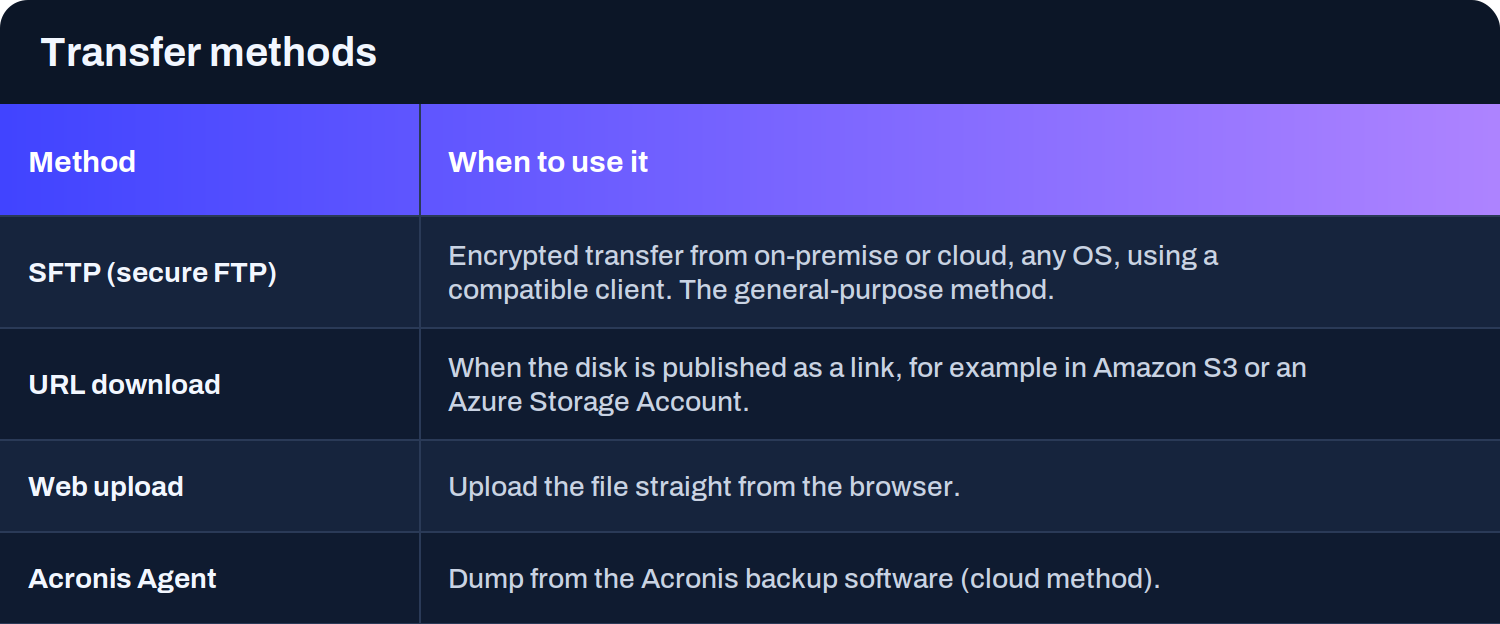
O modo de transferência define como viaja o Disco desde a tua origem até à Plenit. O assistente gera as credenciais de carregamento ou usa a URL que lhe forneças, consoante o modo.
### Como escolher
* **SFTP** é o modo geral: serve a partir de on-premise ou cloud, com qualquer Sistema operativo, usando um Cliente compatível. É o que usas quando exportas o Disco para um ficheiro e o carregas (ou mapeias o SFTP como unidade para escrever o Disco diretamente sobre ele).
* **Transferência por URL** é o mais ágil quando o Disco já está publicado como link, por exemplo num bucket do Amazon S3 ou numa Storage Account do Azure: a Plenit descarrega-o sem que tenhas de o carregar tu.
* **Carregamento web** serve para ficheiros que carregas diretamente a partir do navegador.
* **Agente Acronis** cobre os despejos a partir do software de Cópia de segurança da Acronis pelo seu método cloud.
> #### 🚧 Se importares por URL
>
> O link tem de continuar ativo e acessível enquanto dura a transferência, porque é a Plenit que descarrega o Disco.
>
> E em algumas origens (como AWS), a importação por URL é lançada a partir do mesmo equipamento onde realizaste a operação.
### Próximos passos
* Revê como tudo se enquadra em [O processo.](/docs-pt/productos/migrations/concepts/the-process.md)
* Escolhe o guia da origem que vais migrar na secção de [How-to.](/docs-pt/productos/migrations/how-to.md)
* Se preferires acompanhamento, vê [Como solicitar uma migração assistida.](/docs-pt/productos/migrations/how-to/como-solicitar-ayuda-para-migrar-un-servidor-a-cloud.md)
---
# Agent Instructions
This documentation is published with GitBook. GitBook is the documentation platform designed so that both humans and AI agents can read, navigate, and reason over technical content effectively. Learn more at gitbook.com.
## Querying This Documentation
If you need additional information that is not directly available in this page, you can query the documentation dynamically by asking a question.
Perform an HTTP GET request on the current page URL with the `ask` query parameter, and the optional `goal` query parameter:
```
GET https://docs.plenit.com/docs-pt/productos/migrations/concepts/transfer.md?ask=&goal=
```
`ask` is the immediate question: it should be specific, self-contained, and written in natural language.
`goal` is optional and describes the broader end goal you are ultimately trying to accomplish on behalf of the user. GitBook uses it to tailor the answer towards what is most useful for that goal.
The response will contain a direct answer to the question and relevant excerpts and sources from the documentation.
Use this mechanism when the answer is not explicitly present in the current page, you need clarification or additional context, or you want to retrieve related documentation sections.