> For the complete documentation index, see [llms.txt](https://docs.plenit.com/llms.txt). Markdown versions of documentation pages are available by appending `.md` to page URLs; this page is available as [Markdown](https://docs.plenit.com/docs-pt/productos/file-storage/concepts/users-groups-and-permissions.md).
# Utilizadores, grupos e permissões
Como dás acesso por utilizador e grupo, e como as permissões granulares com herança mantêm a informação controlada
O controlo de acesso apoia-se em três peças que trabalham em conjunto: utilizadores, grupos e Permissões. Entender como se encaixam é o que te poupa trabalho e evita acessos indevidos.
### Utilizadores
Cada pessoa acede com a sua identidade, gerida a partir da plataforma. O Início de sessão pode ser feito com as suas credenciais ou com o seu e-mail, conforme prefiras.
### Grupos
Um grupo reúne vários utilizadores para lhes atribuir acesso de uma só vez. É a unidade que simplifica tudo: em vez de dar Permissões pessoa a pessoa, dás-lhas ao grupo e manténs o acesso por departamento ou equipa.
### Permissões granulares
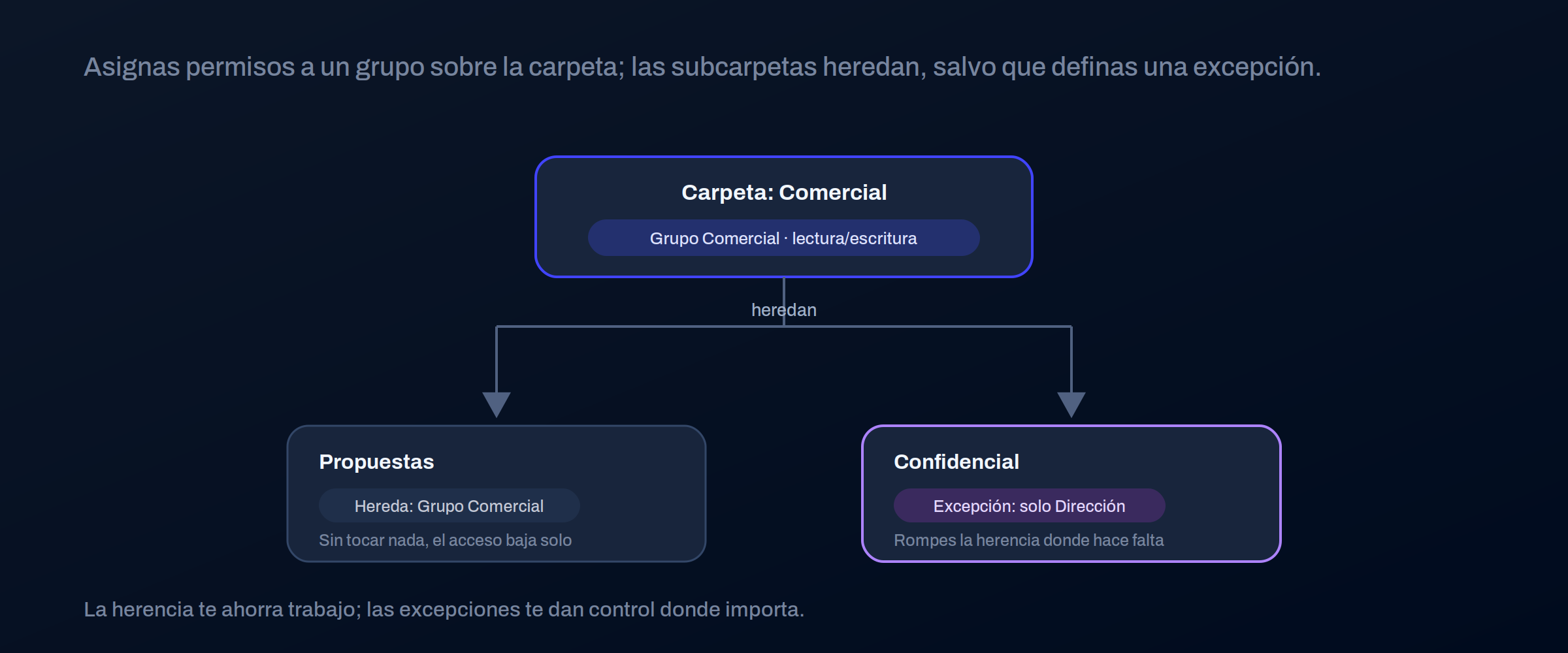
As Permissões são atribuídas a utilizadores e grupos sobre pastas, e propagam-se para baixo por **herança**: o que está pendurado numa Pasta herda as suas Permissões, salvo se definires algo diferente.
| Atribuis a | Para |
| ---------- | -------------------------------------------------- |
| Utilizador | Casos pontuais ou acessos individuais |
| Grupo | O caso habitual: acesso por departamento ou equipa |
> #### 📘 Trabalha com grupos e privilégio mínimo
>
> Atribui Permissões a grupos, não a pessoas: quando alguém entra ou muda de equipa, só mudas a sua pertença ao grupo.
>
> E dá a cada grupo o acesso mínimo de que precisa; ampliar depois é fácil, retirar um acesso a mais chega sempre tarde.
### Onde continuar
* Sobre o que se atribuem as Permissões: [Estrutura de pastas.](/docs-pt/productos/file-storage/concepts/folder-structure.md)
* Como se partilha com externos: [Acesso e utilização partilhada.](/docs-pt/productos/file-storage/concepts/access-and-sharing.md)
---
# Agent Instructions
This documentation is published with GitBook. GitBook is the documentation platform designed so that both humans and AI agents can read, navigate, and reason over technical content effectively. Learn more at gitbook.com.
## Querying This Documentation
If you need additional information that is not directly available in this page, you can query the documentation dynamically by asking a question.
Perform an HTTP GET request on the current page URL with the `ask` query parameter, and the optional `goal` query parameter:
```
GET https://docs.plenit.com/docs-pt/productos/file-storage/concepts/users-groups-and-permissions.md?ask=&goal=
```
`ask` is the immediate question: it should be specific, self-contained, and written in natural language.
`goal` is optional and describes the broader end goal you are ultimately trying to accomplish on behalf of the user. GitBook uses it to tailor the answer towards what is most useful for that goal.
The response will contain a direct answer to the question and relevant excerpts and sources from the documentation.
Use this mechanism when the answer is not explicitly present in the current page, you need clarification or additional context, or you want to retrieve related documentation sections.