> For the complete documentation index, see [llms.txt](https://docs.plenit.com/llms.txt). Markdown versions of documentation pages are available by appending `.md` to page URLs; this page is available as [Markdown](https://docs.plenit.com/docs-en/productos/object-storage/concepts/s3-access-users-and-credentials.md).
# S3 access: users and credentials
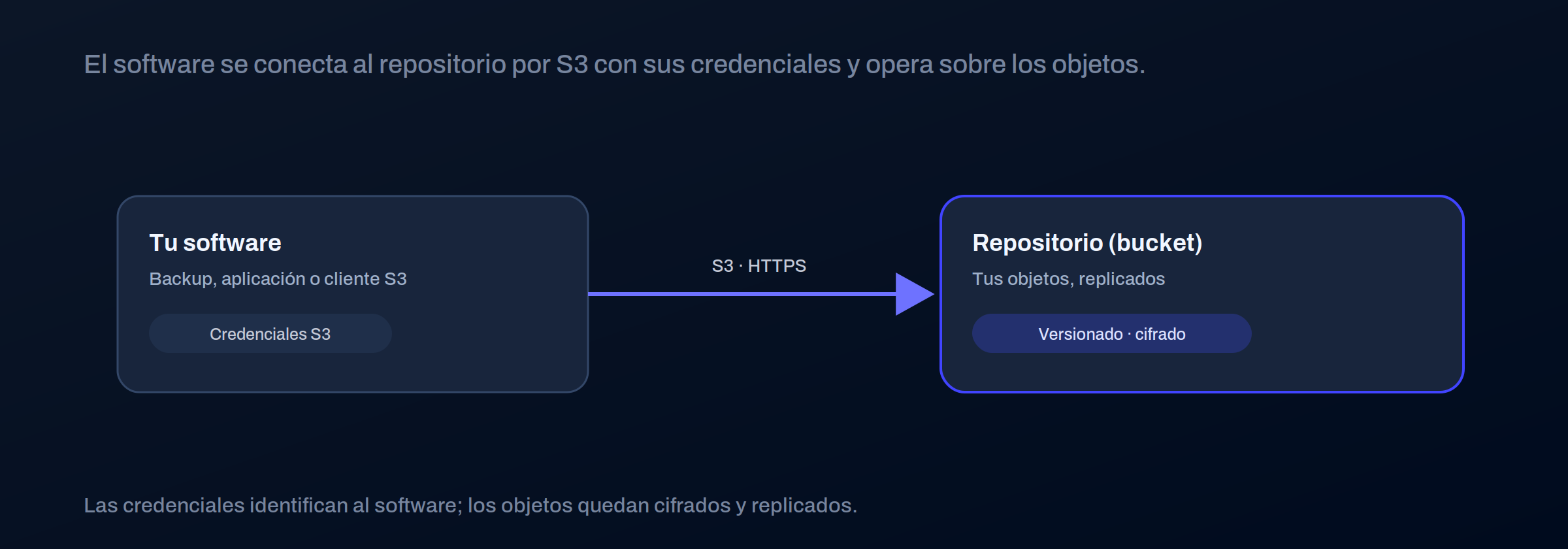
Access is not through a username and password on a website, but through **the S3 protocol**: the software connects to the repository with credentials and operates on the objects.
That S3 compatibility is precisely what makes the service so versatile.
### Users and credentials
Each access is identified with an S3 user, which has a pair of credentials: an access key and a secret key. This is what you configure in the software so it can read from and write to the repository.
| Item | What for |
| ---------- | --------------------------------------------------------- |
| S3 user | Identifies who or what accesses the repository |
| Access key | The public identifier of the credential |
| Secret key | The private part, which the software uses to authenticate |
> #### 🚧 Treat the secret key like a password
>
> The secret key grants access to the repository. Keep it safe, don’t share it over open channels, and rotate it if you suspect it has been exposed. You can enable and disable credentials whenever you need to.
### Compatible clients and software
By speaking standard S3, the repository works with many tools without custom development: backup software, desktop clients, and command-line utilities. That is the great advantage of an open standard.
### Signed URLs
You can generate **temporary links** so that someone can download an object for a limited time, without giving them credentials or permanent access to the repository.
### Where to go next
* How what you store is organized: [Buckets and objects.](/docs-en/productos/object-storage/concepts/buckets-and-objects.md)
* How the data is protected: [Resilience and security.](/docs-en/productos/object-storage/concepts/resilience-and-security.md)
---
# Agent Instructions
This documentation is published with GitBook. GitBook is the documentation platform designed so that both humans and AI agents can read, navigate, and reason over technical content effectively. Learn more at gitbook.com.
## Querying This Documentation
If you need additional information that is not directly available in this page, you can query the documentation dynamically by asking a question.
Perform an HTTP GET request on the current page URL with the `ask` query parameter, and the optional `goal` query parameter:
```
GET https://docs.plenit.com/docs-en/productos/object-storage/concepts/s3-access-users-and-credentials.md?ask=&goal=
```
`ask` is the immediate question: it should be specific, self-contained, and written in natural language.
`goal` is optional and describes the broader end goal you are ultimately trying to accomplish on behalf of the user. GitBook uses it to tailor the answer towards what is most useful for that goal.
The response will contain a direct answer to the question and relevant excerpts and sources from the documentation.
Use this mechanism when the answer is not explicitly present in the current page, you need clarification or additional context, or you want to retrieve related documentation sections.