> For the complete documentation index, see [llms.txt](https://docs.plenit.com/llms.txt). Markdown versions of documentation pages are available by appending `.md` to page URLs; this page is available as [Markdown](https://docs.plenit.com/docs-en/productos/migrations/concepts/transfer.md).
# Transfer Modes
How the disk gets to Plenit: SFTP, URL download, web upload, or Acronis Agent, and when each one is suitable.
The transfer mode defines how the disk travels from your source to Plenit. The wizard generates the upload credentials or uses the URL you provide, depending on the mode.
### How to choose
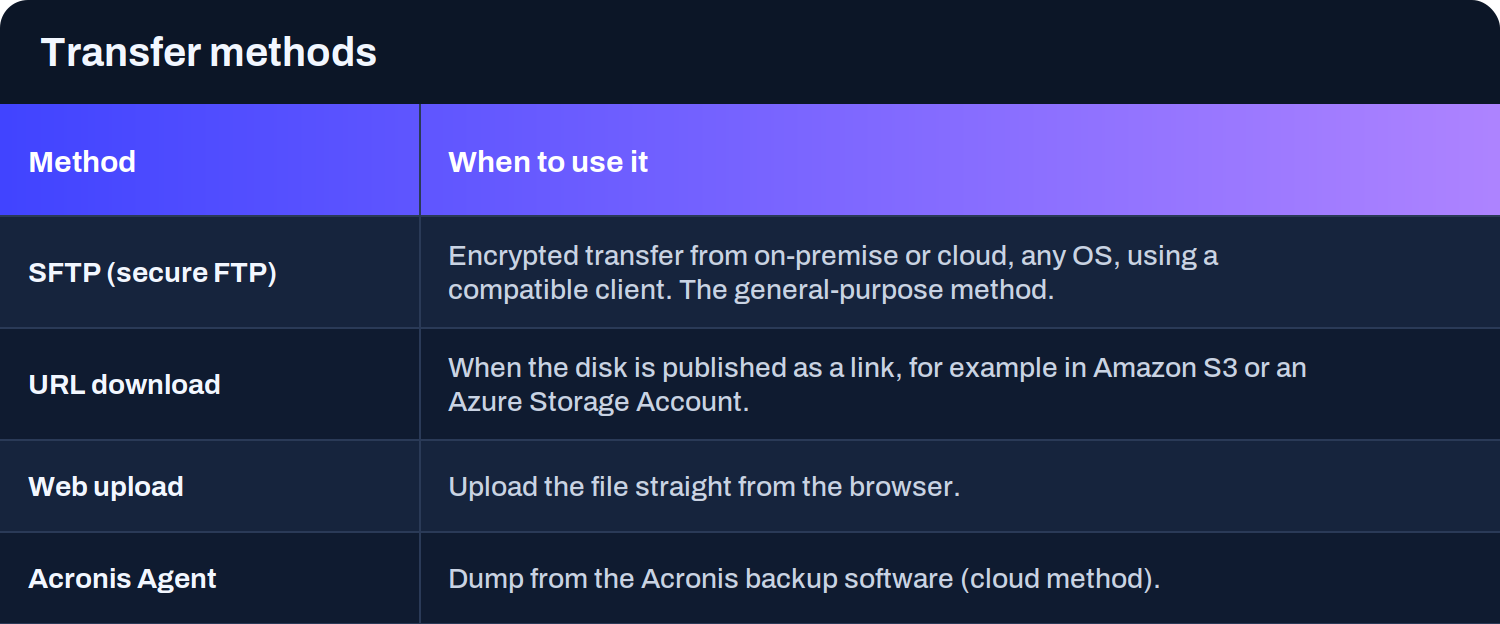
* **SFTP** is the general mode: it works from on-premises or the cloud, on any operating system, using a compatible client. It's what you use when you export the disk to a file and upload it (or map the SFTP as a drive to write the disk directly onto it).
* **Download by URL** is the most agile option when the disk is already published as a link, for example in an Amazon S3 bucket or an Azure Storage Account: Plenit downloads it without you having to upload it yourself.
* **Web upload** is for files that you upload directly from the browser.
* **Acronis Agent** covers dumps from Acronis backup software through its cloud method.
> #### 🚧 If you import by URL
>
> The link must remain active and accessible for the duration of the transfer, because Plenit is the one downloading the disk.
>
> And for some sources (such as AWS), URL import is launched from the same machine where you performed the operation.
### Next steps
* Review how everything fits together in [The process.](/docs-en/productos/migrations/concepts/the-process.md)
* Choose the guide for the source you are going to migrate in the [How-to.](/docs-en/productos/migrations/how-to.md)
* If you prefer guidance, see [How to request an assisted migration.](/docs-en/productos/migrations/how-to/como-solicitar-ayuda-para-migrar-un-servidor-a-cloud.md)
---
# Agent Instructions
This documentation is published with GitBook. GitBook is the documentation platform designed so that both humans and AI agents can read, navigate, and reason over technical content effectively. Learn more at gitbook.com.
## Querying This Documentation
If you need additional information that is not directly available in this page, you can query the documentation dynamically by asking a question.
Perform an HTTP GET request on the current page URL with the `ask` query parameter, and the optional `goal` query parameter:
```
GET https://docs.plenit.com/docs-en/productos/migrations/concepts/transfer.md?ask=&goal=
```
`ask` is the immediate question: it should be specific, self-contained, and written in natural language.
`goal` is optional and describes the broader end goal you are ultimately trying to accomplish on behalf of the user. GitBook uses it to tailor the answer towards what is most useful for that goal.
The response will contain a direct answer to the question and relevant excerpts and sources from the documentation.
Use this mechanism when the answer is not explicitly present in the current page, you need clarification or additional context, or you want to retrieve related documentation sections.