> For the complete documentation index, see [llms.txt](https://docs.plenit.com/llms.txt). Markdown versions of documentation pages are available by appending `.md` to page URLs; this page is available as [Markdown](https://docs.plenit.com/docs-en/productos/file-storage/concepts/users-groups-and-permissions.md).
# Users, groups, and permissions
How you grant access by user and group, and how granular permissions with inheritance keep information controlled
Access control relies on three pieces that work together: users, groups, and permissions. Understanding how they fit together is what saves you work and prevents unauthorized access.
### Users
Each person accesses with their identity, managed from the platform. Sign-in can be done with their credentials or with their email, depending on what you prefer.
### Groups
A group brings together several users to grant them access all at once. It is the unit that simplifies everything: instead of giving permissions person by person, you give them to the group and maintain access by department or team.
### Granular permissions
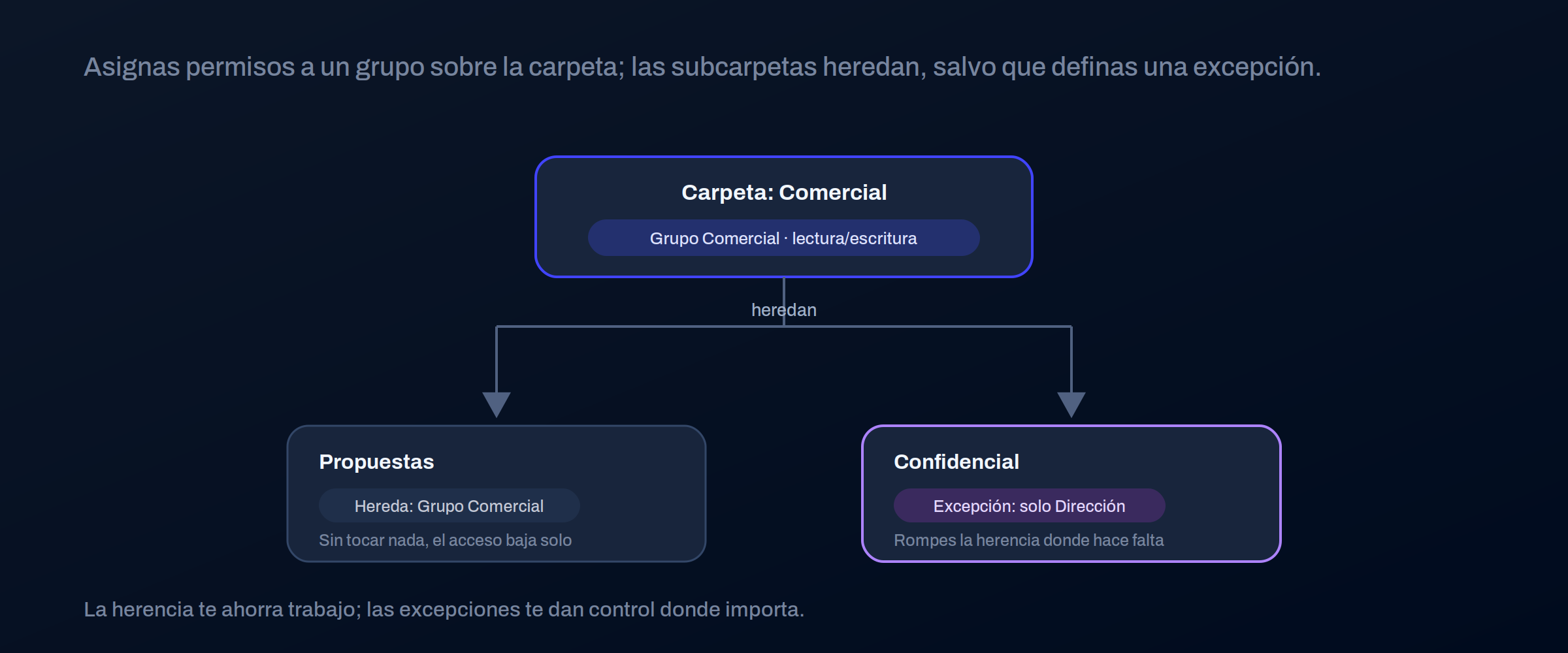
Permissions are assigned to users and groups on folders, and they propagate downward by **inheritance**: anything that hangs under a folder inherits its permissions, unless you define something different.
| You assign to | To |
| ------------- | -------------------------------------------- |
| User | Specific cases or individual accesses |
| Group | The usual case: access by department or team |
> #### 📘 Work with groups and least privilege
>
> Assign permissions to groups, not people: when someone joins or changes teams, you only move their membership in the group.
>
> And give each group the minimum access it needs; expanding later is easy, removing an extra access always comes too late.
### Where to go next
* On what permissions are assigned: [Folder structure.](/docs-en/productos/file-storage/concepts/folder-structure.md)
* How it is shared with external parties: [Access and sharing.](/docs-en/productos/file-storage/concepts/access-and-sharing.md)
---
# Agent Instructions
This documentation is published with GitBook. GitBook is the documentation platform designed so that both humans and AI agents can read, navigate, and reason over technical content effectively. Learn more at gitbook.com.
## Querying This Documentation
If you need additional information that is not directly available in this page, you can query the documentation dynamically by asking a question.
Perform an HTTP GET request on the current page URL with the `ask` query parameter, and the optional `goal` query parameter:
```
GET https://docs.plenit.com/docs-en/productos/file-storage/concepts/users-groups-and-permissions.md?ask=&goal=
```
`ask` is the immediate question: it should be specific, self-contained, and written in natural language.
`goal` is optional and describes the broader end goal you are ultimately trying to accomplish on behalf of the user. GitBook uses it to tailor the answer towards what is most useful for that goal.
The response will contain a direct answer to the question and relevant excerpts and sources from the documentation.
Use this mechanism when the answer is not explicitly present in the current page, you need clarification or additional context, or you want to retrieve related documentation sections.