> For the complete documentation index, see [llms.txt](https://docs.plenit.com/llms.txt). Markdown versions of documentation pages are available by appending `.md` to page URLs; this page is available as [Markdown](https://docs.plenit.com/docs-en/productos/file-storage/concepts/access-and-sharing.md).
# Access and sharing
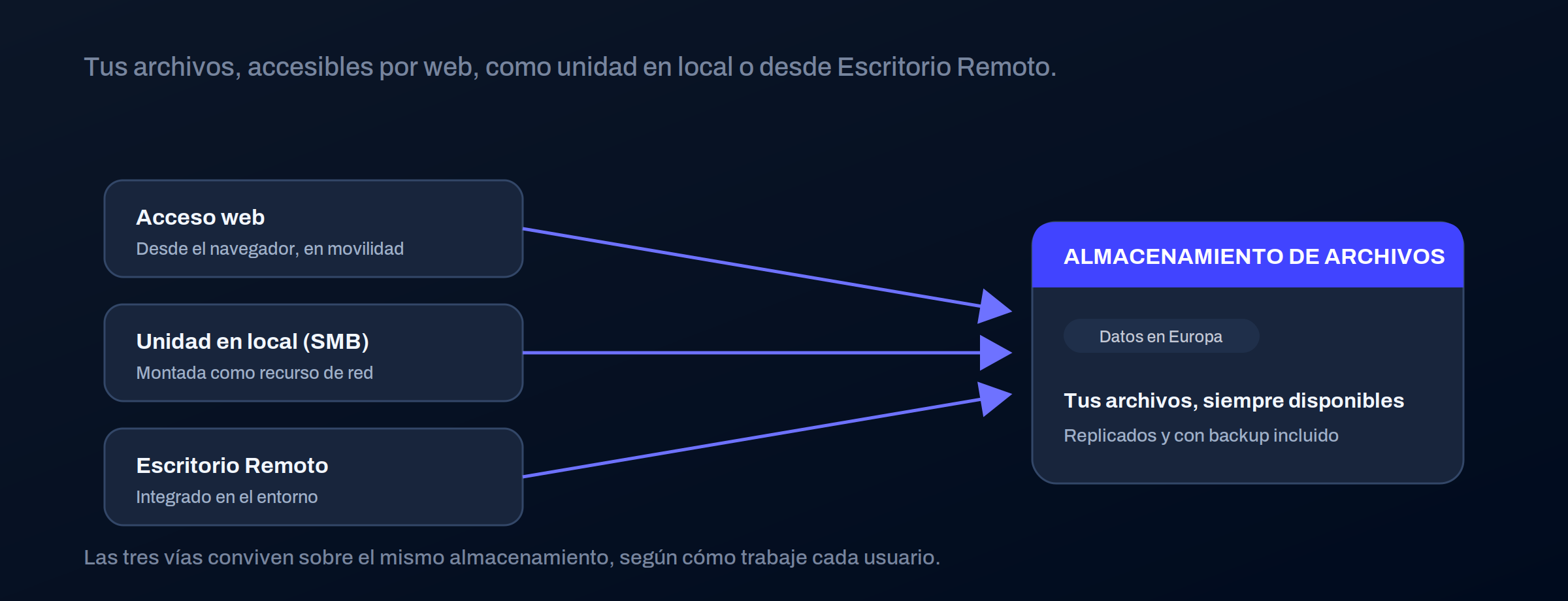
The ways to reach the files (web, local drive, and Remote Desktop) and how to share securely with third parties.
Files are available through several means at once, depending on how each user works, and they can be shared externally with control.
### Access methods
| Path | How they access | When it fits |
| ------------------- | ---------------------------------------------- | ------------------------------------------------------ |
| Web access | From the browser, with their credentials | Mobility, from any device |
| Local drive (SMB) | Mounted on the computer as a network resource | Work as you would on a traditional file server |
| With Remote Desktop | Integrated into the Remote Desktop environment | When the client is already working in that environment |
> #### 📘 They coexist, they don't compete
>
> The same user can have the drive mounted on their laptop and access it via the web from their mobile phone.
>
> You choose the method for convenience, not because one excludes the other.
### Sharing with third parties
You can generate **share links** files or folders with people outside, without giving them a user account. And you do it with control:
* **Password** on the link, so having the URL isn't enough.
* **Expiration date**, so access closes automatically when the deadline passes.
That way you can share with a client or supplier without opening your environment or leaving forgotten permanent access.
### Where to go next
* Who accesses what within the environment: [Users, groups, and permissions.](/docs-en/productos/file-storage/concepts/users-groups-and-permissions.md)
* How what is shared is organized: [Folder structure.](/docs-en/productos/file-storage/concepts/folder-structure.md)
---
# Agent Instructions
This documentation is published with GitBook. GitBook is the documentation platform designed so that both humans and AI agents can read, navigate, and reason over technical content effectively. Learn more at gitbook.com.
## Querying This Documentation
If you need additional information that is not directly available in this page, you can query the documentation dynamically by asking a question.
Perform an HTTP GET request on the current page URL with the `ask` query parameter, and the optional `goal` query parameter:
```
GET https://docs.plenit.com/docs-en/productos/file-storage/concepts/access-and-sharing.md?ask=&goal=
```
`ask` is the immediate question: it should be specific, self-contained, and written in natural language.
`goal` is optional and describes the broader end goal you are ultimately trying to accomplish on behalf of the user. GitBook uses it to tailor the answer towards what is most useful for that goal.
The response will contain a direct answer to the question and relevant excerpts and sources from the documentation.
Use this mechanism when the answer is not explicitly present in the current page, you need clarification or additional context, or you want to retrieve related documentation sections.