> For the complete documentation index, see [llms.txt](https://docs.plenit.com/llms.txt). Markdown versions of documentation pages are available by appending `.md` to page URLs; this page is available as [Markdown](https://docs.plenit.com/docs-en/productos/disaster-recovery/concepts/what-it-is.md).
# What Is Disaster Recovery?
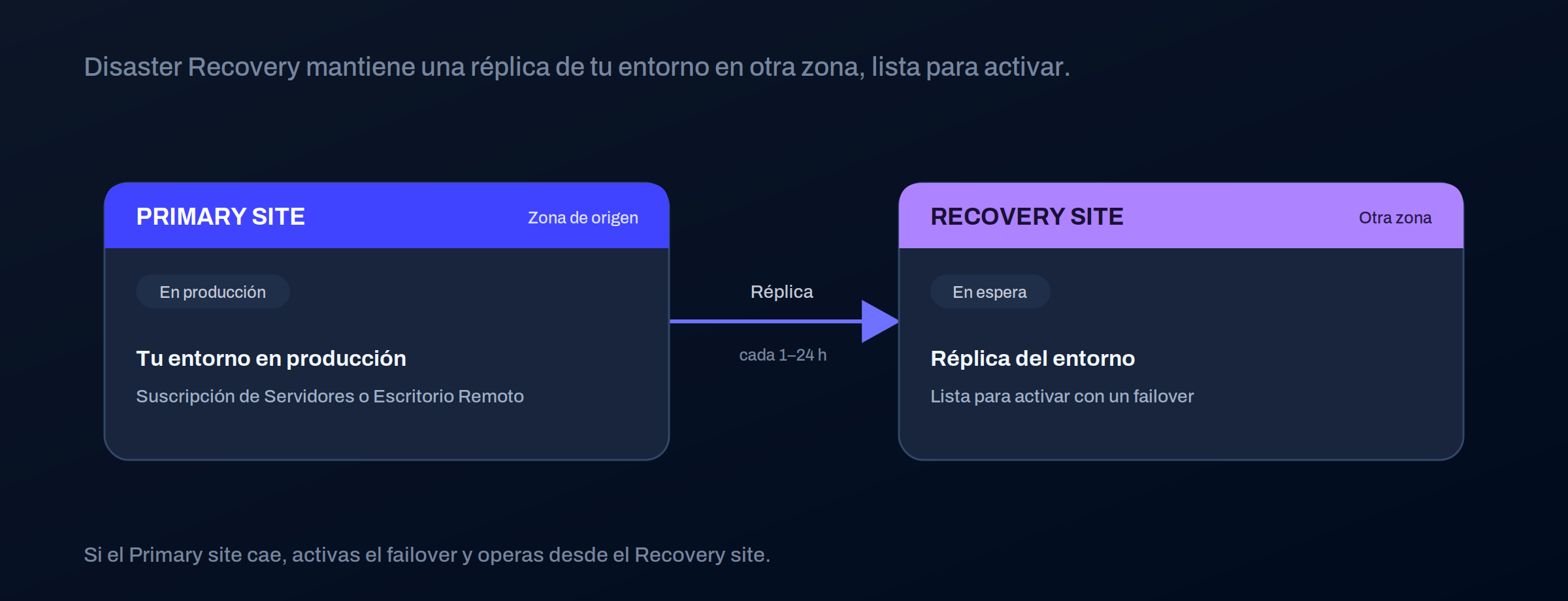
A full replica of your Servers or Remote Desktop subscription in another zone, ready to activate if the primary environment goes down
Disaster Recovery replicates a Server or Remote Desktop subscription in another availability zone, and leaves it ready to be activated if the primary environment becomes unavailable. It is our business continuity layer for your customers' critical environments.
### Disaster Recovery is not a backup
It's the difference that's most useful to understand clearly, because they solve different things.
| | Backup | Disaster Recovery |
| ------------------- | -------------------------------- | --------------------------------------------------------------------------------- |
| What it protects | Data | The entire system, ready to run |
| What it stores | Copies of files and disks | Complete replicated infrastructure (compute, disks, networks, IPs, firewall, VPN) |
| How it is recovered | Restoring the data, step by step | Activating the replicated environment |
| Time until return | Slow: it has to be rebuilt | Fast: the environment is already set up |
> #### 📘 Backup and Disaster Recovery complement each other
>
> The backup returns your data to you. Disaster Recovery returns your operation to you: the machine, its network, its configuration, and its service, ready to resume work. In critical environments, one does not replace the other.
### What is replicated
Disaster Recovery does not copy only the data. It replicates the elements that make the environment work again exactly as it was.
* The instances and their compute configuration.
* The disks and their contents.
* The networks and subnets.
* The private and public IPs.
* The firewall, port forwarding rules, and VPN.
You can adjust the scope: the source is a Servers subscription, with the option to **exclude specific machines or disks** that you do not need to replicate.
### How it fits
Disaster Recovery is built on top of what you already have and creates its own subscription.
* It protects subscriptions of [Servers](/docs-en/productos/servers.md) and [Remote Desktop.](/docs-en/productos/remote-desktop.md)
* It replicates the environment in **another availability zone**, within the same region or in a different region.
* It is managed from its own Disaster Recovery subscription, with its own card in the panel.
### What you decide and what we do
| You decide | We do |
| -------------------------------------------------- | --------------------------------------------------------------- |
| Which subscription to protect and which to exclude | Replicate the environment to the destination zone |
| The replication frequency and the points to keep | Maintain the contingency infrastructure |
| When to execute failover and failback | Recreate compute, network, and configuration at the destination |
| When to run a drill | Generate the service events and notifications |
### You activate failover
> #### 🚧 It is not automatic high availability
>
> Disaster Recovery drastically reduces recovery time, but it is not a mechanism that switches over on its own.
>
> You decide when to move services to the backup site (failover) and when to return to the original environment (failback).
>
> It is continuity ready to activate, not automatic switchover.
### Where to continue
* What is copied and how often: [The replica.](/docs-en/productos/disaster-recovery/concepts/the-replica.md)
* Switch to backup and return: [Failover and failback.](/docs-en/productos/disaster-recovery/concepts/failover-and-failback.md)
* Test the plan without affecting production: [Drills.](/docs-en/productos/disaster-recovery/concepts/drills.md)
---
# Agent Instructions
This documentation is published with GitBook. GitBook is the documentation platform designed so that both humans and AI agents can read, navigate, and reason over technical content effectively. Learn more at gitbook.com.
## Querying This Documentation
If you need additional information that is not directly available in this page, you can query the documentation dynamically by asking a question.
Perform an HTTP GET request on the current page URL with the `ask` query parameter, and the optional `goal` query parameter:
```
GET https://docs.plenit.com/docs-en/productos/disaster-recovery/concepts/what-it-is.md?ask=&goal=
```
`ask` is the immediate question: it should be specific, self-contained, and written in natural language.
`goal` is optional and describes the broader end goal you are ultimately trying to accomplish on behalf of the user. GitBook uses it to tailor the answer towards what is most useful for that goal.
The response will contain a direct answer to the question and relevant excerpts and sources from the documentation.
Use this mechanism when the answer is not explicitly present in the current page, you need clarification or additional context, or you want to retrieve related documentation sections.